
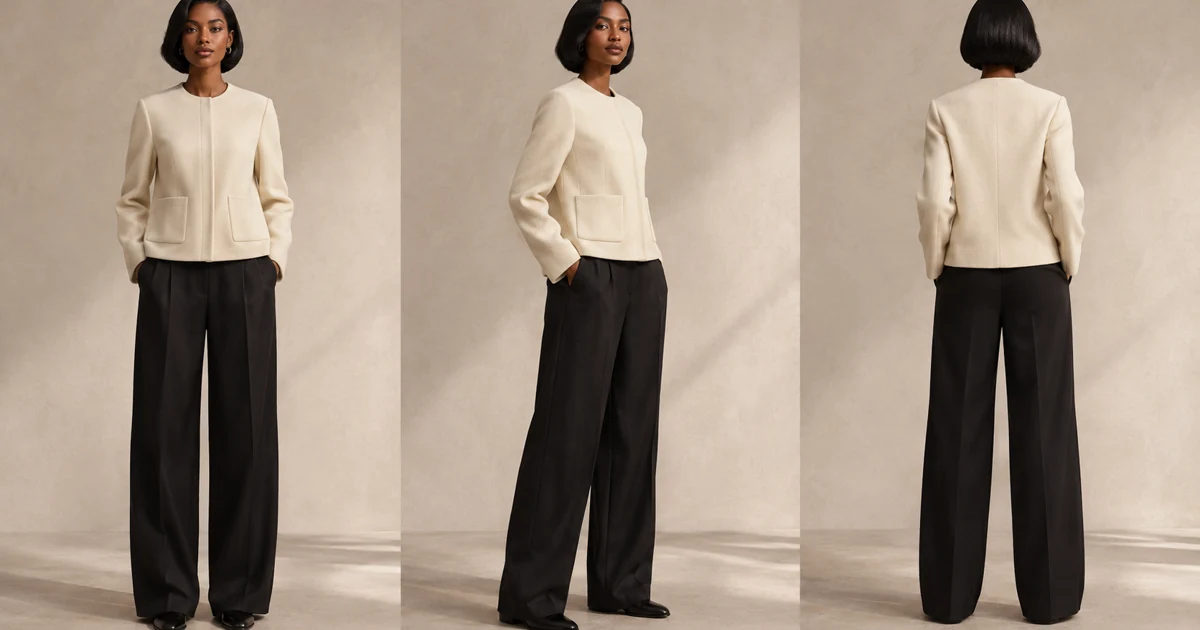
Hero: AI-generated editorial illustration.
A jacket can catch your eye in a photograph. Deciding whether it belongs in your wardrobe takes a little more: another angle, a different color, a way to see how it works with the pieces around it.
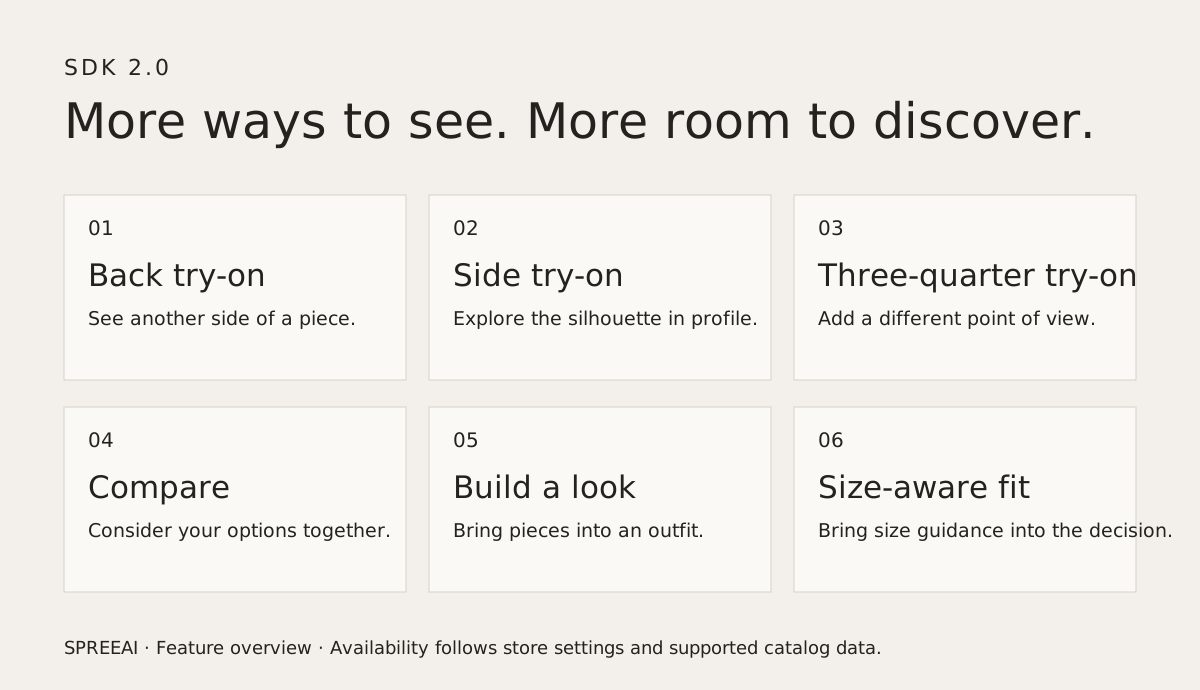
SPREEAI SDK 2.0 is now live, bringing back, side and three-quarter virtual try-on, Compare, Build a look and size-aware fit into the shopping experience. Our updated Shopify app and documentation are live, too.
The release brings those moments of discovery closer together. Shoppers can explore a garment from more perspectives, consider their options and put a look together without treating each decision as a separate task.
More than one point of view.
A front view tells part of the story. The line of a jacket from the side, the shape of a silhouette at three-quarter view, the detail at the back: each can change how someone sees a piece.
SDK 2.0 adds back, side and three-quarter try-on views alongside the familiar front-facing experience. When enabled by the store, these additional perspectives give shoppers more visual context as they explore a garment.
That matters for the decisions that are difficult to make from a single image. A shopper considering a structured jacket can look beyond its front closure. Someone choosing a new silhouette can explore how it appears from another angle before moving on to the next possibility.
Compare the possibilities.
Sometimes the question is less “Do I like it?” and more “Which one feels right?”
Compare gives shoppers a way to consider supported options together, bringing alternatives into the same shopping journey. The combinations available depend on the experience enabled by the store.
A neutral layer or a statement color. One cut or another. Seeing options in context can help a shopper understand the difference that matters to them, while keeping the collection itself at the center of the experience.
Build a look, piece by piece.
Clothes are rarely worn in isolation. A top changes with the trousers beneath it; a jacket can bring the whole outfit together.
Build a look lets shoppers bring supported garments together into an outfit. It creates room to explore combinations from the collection and consider a piece as part of something more personal.
For brands, that is an opportunity to show how pieces relate to one another. For shoppers, it is a more natural way to browse: start with the garment that caught your attention, then see where it leads.
Bring sizing into the decision.
Appearance is one part of choosing a garment. Size is another.
Size-aware fit brings size guidance into the experience, using the supported product and size information available to the store. Shoppers can consider a recommended size and explore supported size previews as they make their choice.
A visual preview does not guarantee physical fit. Size guidance works best alongside the brand’s product details, size chart and advice, helping shoppers bring those pieces of information together.
An experience shaped by the brand.
The release builds on SPREEAI for Shopify, connecting personal discovery with the catalog and the storefront where shopping already happens.
Merchants can choose eligible products, configure the features they want to offer and adapt the experience to their brand. Review the feature controls for your store before launch; availability depends on the enabled experience and supported catalog data. The Shopify documentation walks through the current setup and feature controls.
That flexibility gives each brand room to decide how the experience belongs in its store, from the products shoppers can try to the capabilities they can explore.
Explore SDK 2.0.
With SDK 2.0, virtual try-on, comparison, outfit building and size guidance become parts of a more connected shopping journey. More perspectives on a piece. More context for a choice. More room to discover a look that feels like your own.
Explore SPREEAI on the Shopify App Store and follow the onboarding guide to get started. For a custom integration, visit our developer hub or talk with SPREEAI about your store.